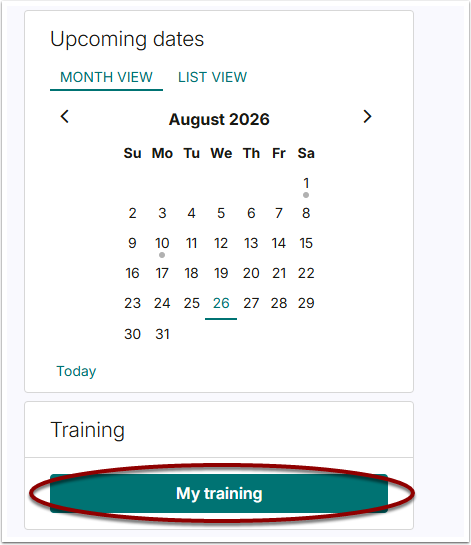
Click on the below on your GoAssemble home page, this can be found on the right hand side below the calendar.
In the optional training module section you will see the below tile, click Go to Course.
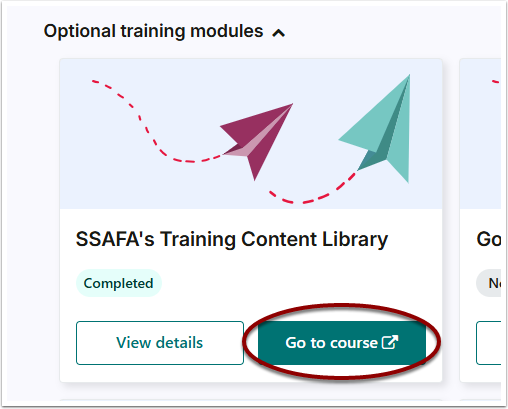
You will be taken to Learning Base. To access the Content Library, click the exit icon:

Then click on the My Learning button at the top of the screen then navigate to Learning Library.
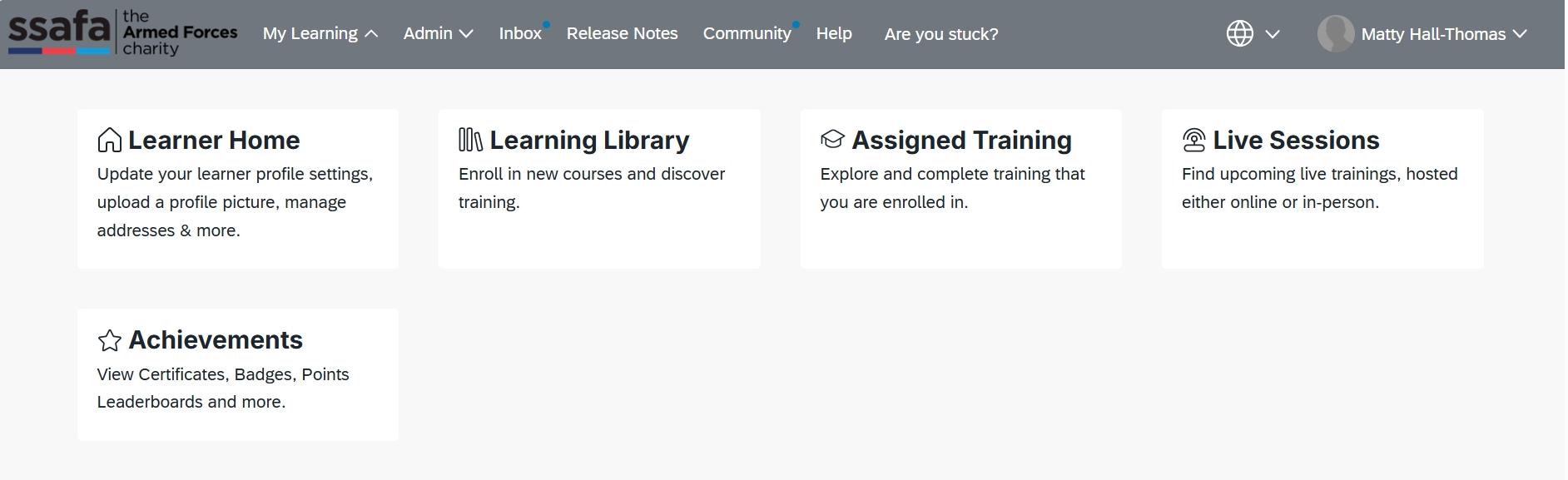
This will allow you to search and view all of the courses that SSAFA provides on Learning Base.
For more information check out these 3 quick guides:
If you are having any trouble, please do email us at l&[email protected].